 TorrSeeker








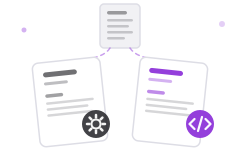
Change the look once. Every resume follows.
Nudging margins in a word processor eats evenings, and every copy drifts a little. In TorrSeeker the layout, colors, text sizes and section order live in a template, apart from your words. Update the template and every resume using it changes with it.
Start from a template, not a blank page.
Three resume templates come built in: Default, Minimal and Photo. They stay exactly as they are. Duplicate one and you get your own copy to shape, named after the original, so you never break the starting point.
See the page break before you print.
Everything is set in the sidebar: page size, one or two columns, margins, colors, text sizes and where each section goes. The page on the right redraws as you change it.
Preview it with your own resume instead of the sample, and you see exactly where page one ends. Changes save by themselves, so there's no Save button to forget.
Switch the look without touching a word.
In the resume editor, the Template picker changes how the page looks and leaves your content alone. The pencil next to it opens the designer. On a built-in, it first makes you an editable copy, so the original stays as it was.
Then print it, or download the PDF. The file is made from the same template, so it looks like the preview. Cover letters work the same way, with their own templates.
Star one favorite. New resumes start with it.
Star a resume template and it becomes your Favorite. Every new resume starts with it, and so does every copy tailored for a job.
No favorite? Tailored copies keep the template of the resume they came from, so a job version always looks like its parent.
Cover letters have their own set: Default, Minimal and Blue Accent to start from, with your own copies next to them.
Spend the evening on the application, not the margins.
Duplicate a template, shape it once, and every resume you send looks the part.